> ## Documentation Index
> Fetch the complete documentation index at: https://developer.fabric.inc/llms.txt
> Use this file to discover all available pages before exploring further.
# Adding a Competitor for Monitoring
> Compare your categories to competitors in AI shopping to uncover enrichment and category strategy opportunities.
Product Agent is currently in beta, and we're [seeking partners](https://fabric.inc/contact-us) to help shape its future.
Adding competitors helps you understand how your products are performing in AI-driven shopping experiences relative to others in your space. This context can highlight opportunities to improve enrichment, strengthen citations, or refine category strategy.
 1. Log into **fabric NEON**.
The **Visibility** page for **Monitor** is displayed by default.
1. Log into **fabric NEON**.
The **Visibility** page for **Monitor** is displayed by default.
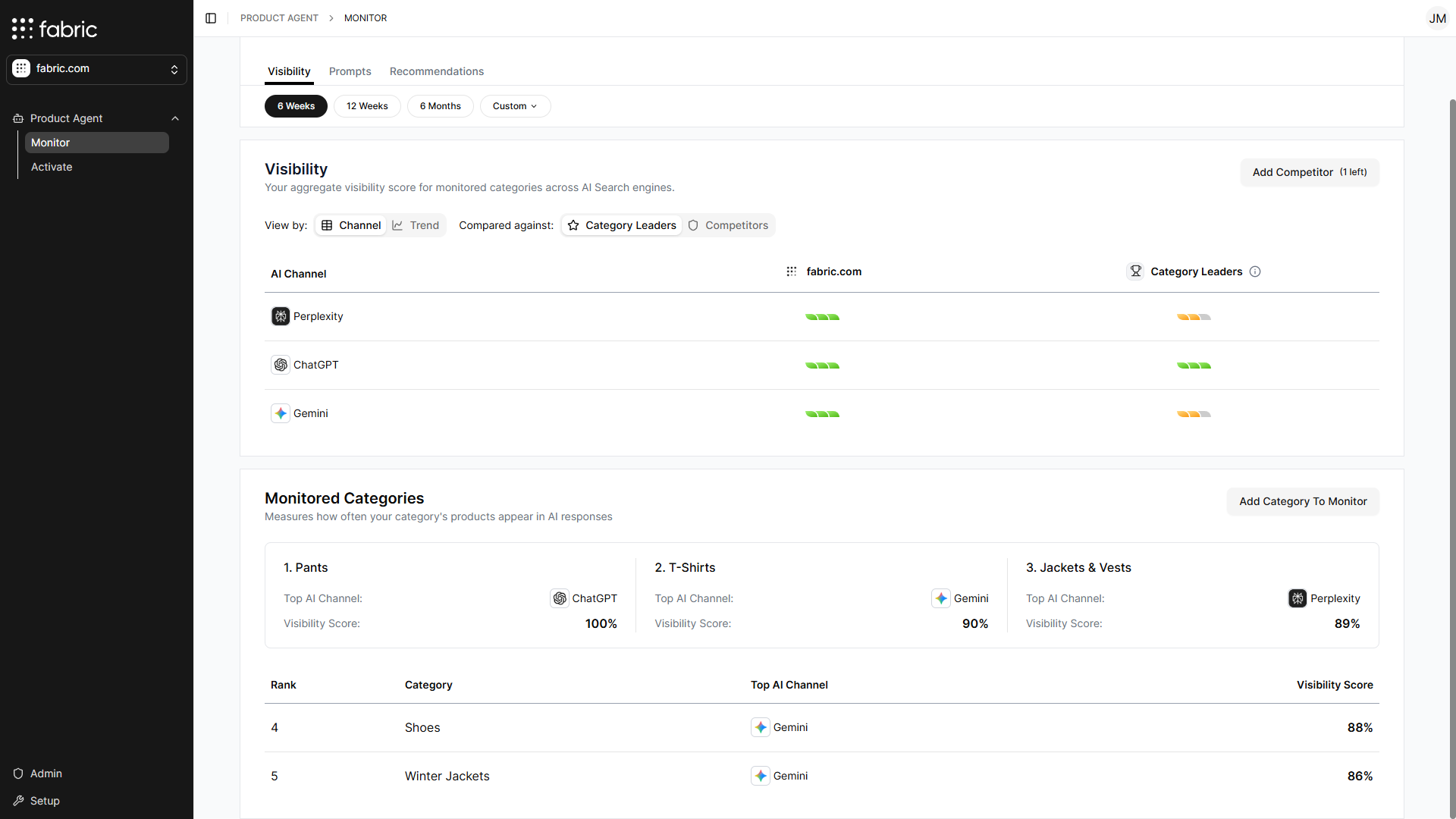 2. Click **Add Competitor**.
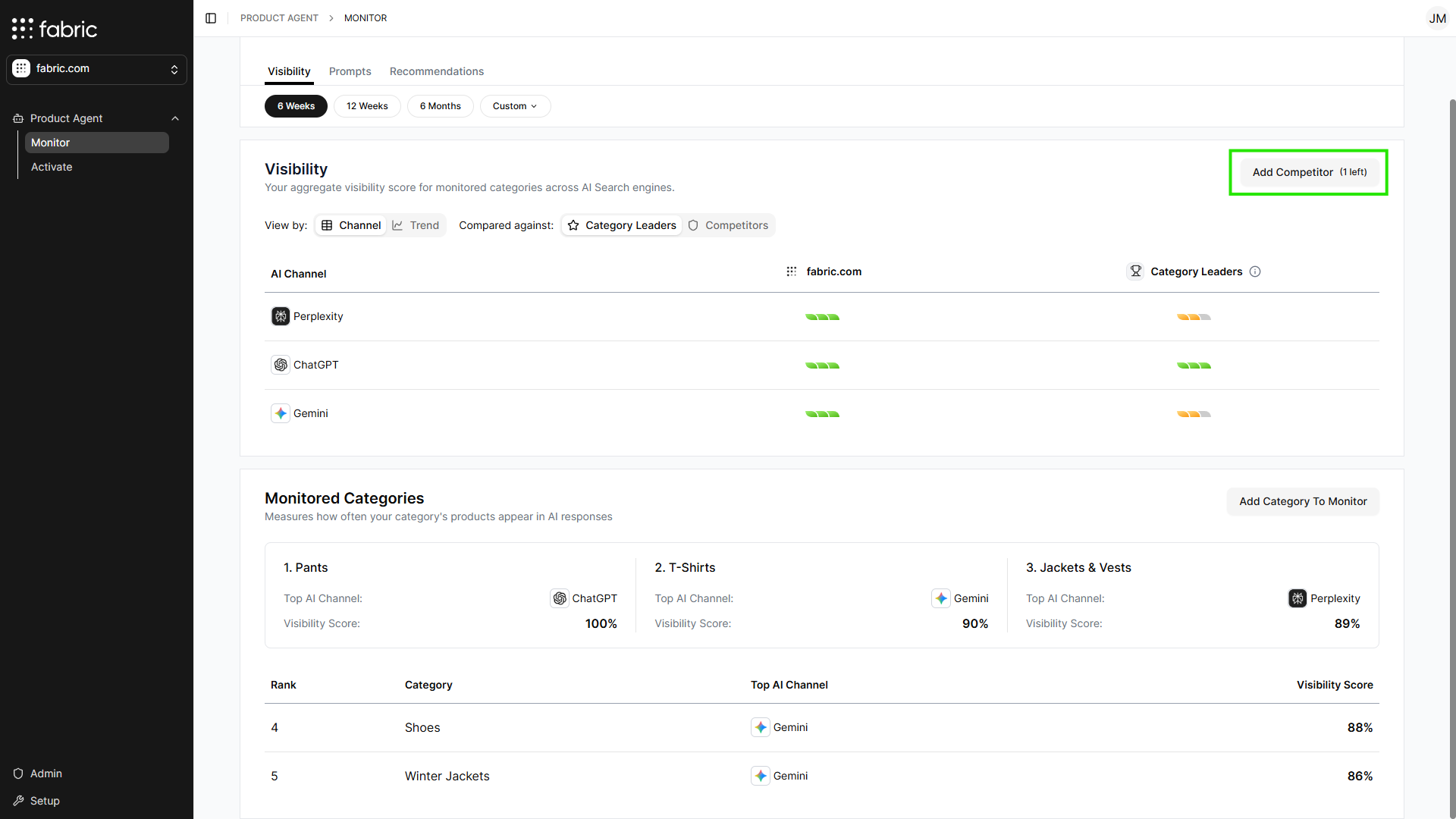 The **Add Competitor** window is displayed.
3. In the **Competitor Website URL** field, enter a competitors URL.
A maximum of 5 competitors can be added.
4. Click **Add**.
The **Add Competitor** window is displayed.
3. In the **Competitor Website URL** field, enter a competitors URL.
A maximum of 5 competitors can be added.
4. Click **Add**.
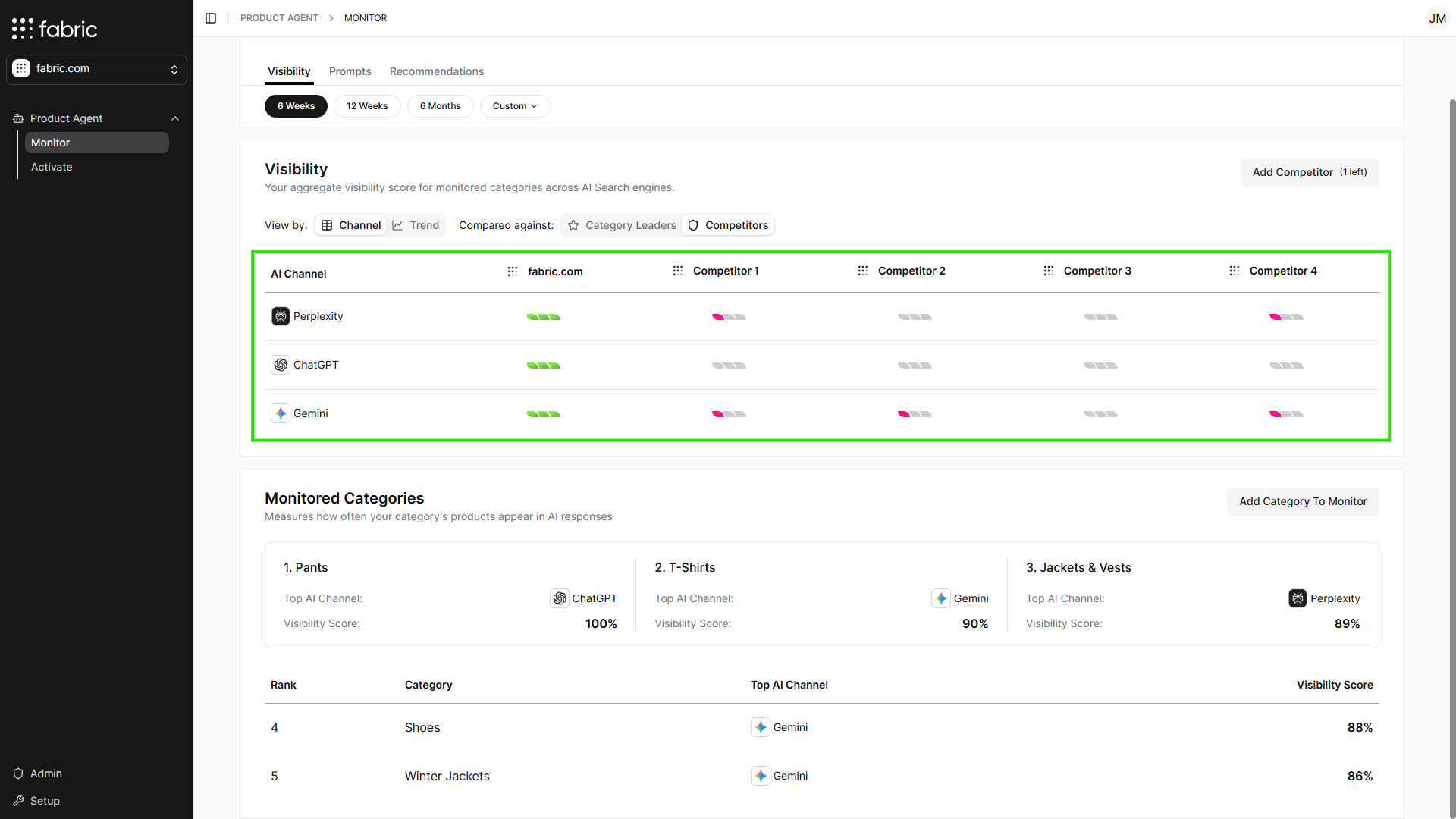
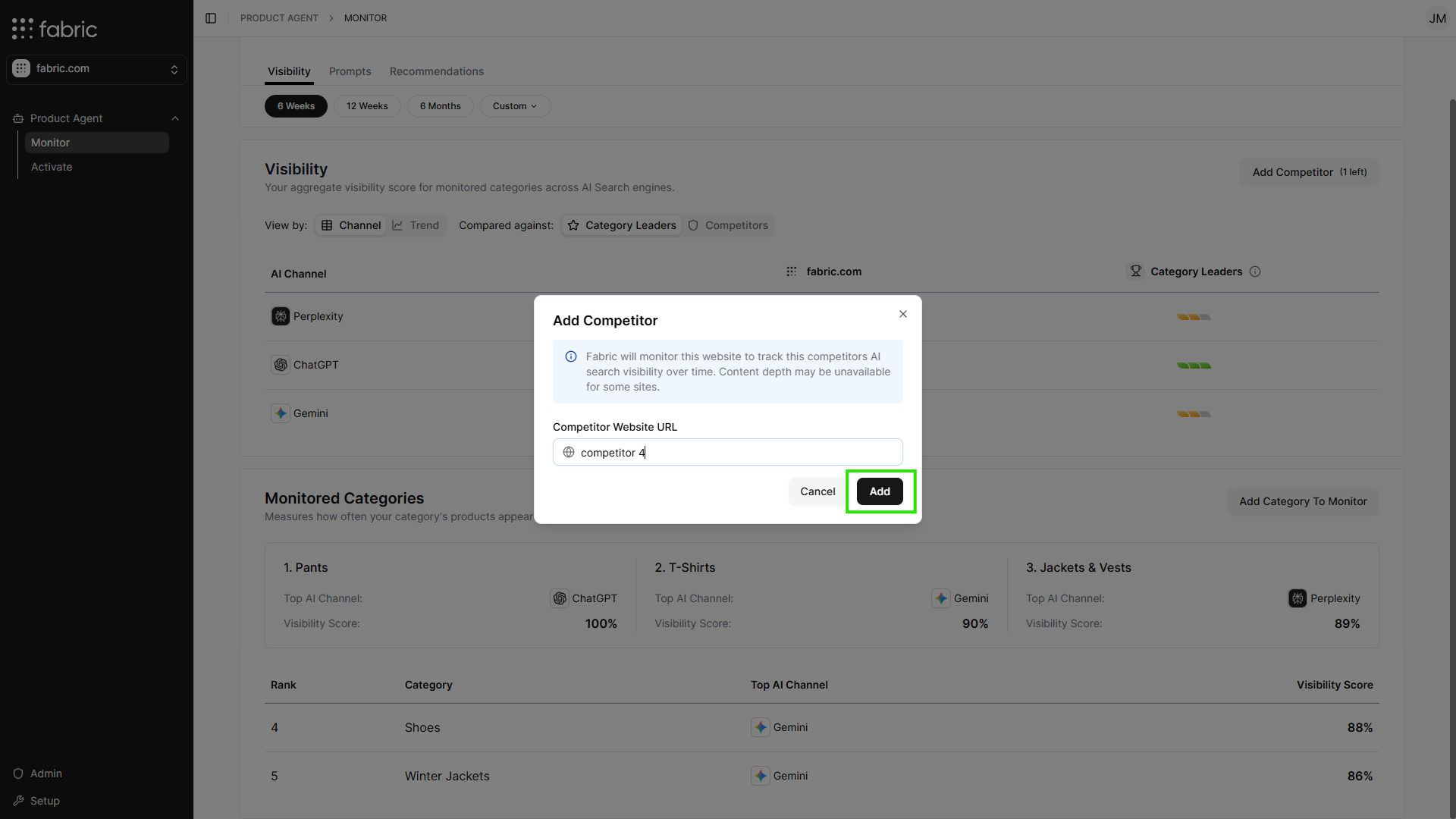 The competitor is added as a benchmark so you can compare your products against their visibility performance over time. Once added, competitor data may take about 1 minute to load, and up to 5 minutes for larger catalogs.
 ## Related Topics
* [Overview](/product-agent/monitor/overview)
* [Adding a Monitored Category](/product-agent/monitor/add-a-monitored-category)
* [Category Performance Report](/product-agent/monitor/category-performance-report)
* [Prompts](/product-agent/monitor/prompts)
* [Adding a Prompt](/product-agent/monitor/add-a-prompt)
* [Recommendations](/product-agent/monitor/recommendations)
## Related Topics
* [Overview](/product-agent/monitor/overview)
* [Adding a Monitored Category](/product-agent/monitor/add-a-monitored-category)
* [Category Performance Report](/product-agent/monitor/category-performance-report)
* [Prompts](/product-agent/monitor/prompts)
* [Adding a Prompt](/product-agent/monitor/add-a-prompt)
* [Recommendations](/product-agent/monitor/recommendations)