
Product Agent is currently in beta, and we’re seeking partners to help shape its future.
- The Customer persona to shape audience-specific visibility scoring
- Different geographic Regions to limit analysis to specific geographic markets
- The category pricing ranges to align scoring with your pricing strategy
Changes to Monitor Tuning apply to the next monitoring cycle. Previously completed cycles are not updated retroactively.
Customer Persona
In Customer Persona, you define your target customer to guide Monitor’s analysis and scoring. Monitor uses the persona you create here to interpret product relevance, evaluate the audience, and generate more precise visibility scores.fabric recommends that you be specific when setting up the customer persona. Include demographic traits, style preferences, shopping behavior, and price sensitivity where applicable.
Regions Selection
Select one or more regions in Regions Selection to constrain visibility scoring and competitive evaluation for targeted monitoring in those specific markets. If no regions are selected, Monitor evaluates visibility without geographic constraints.Category Pricing Range Inputs
Use Category Price Range Inputs to set competitive value assumptions and improve scoring accuracy. The minimum and maximum fields allow you to tell Product Agent the estimated price range for each category, allowing Product Agent to monitor your content against direct competitors. For example, a high-end furniture retailer with an “end tables” category priced between 2,000 would not typically compete directly with a value-tier retailer offering end tables priced between 200.Best Practices
You can return at any time to adjust Monitor Tuning and your changes will be reflected in the next monitoring cycle. fabric recommends that you update Monitor Tuning when you shift your target audience, expand into new regions, or adjust your pricing strategy.Procedure
-
Navigate to Product Agent > Settings > Monitor Turning.
The Monitor Tuning tab is displayed.
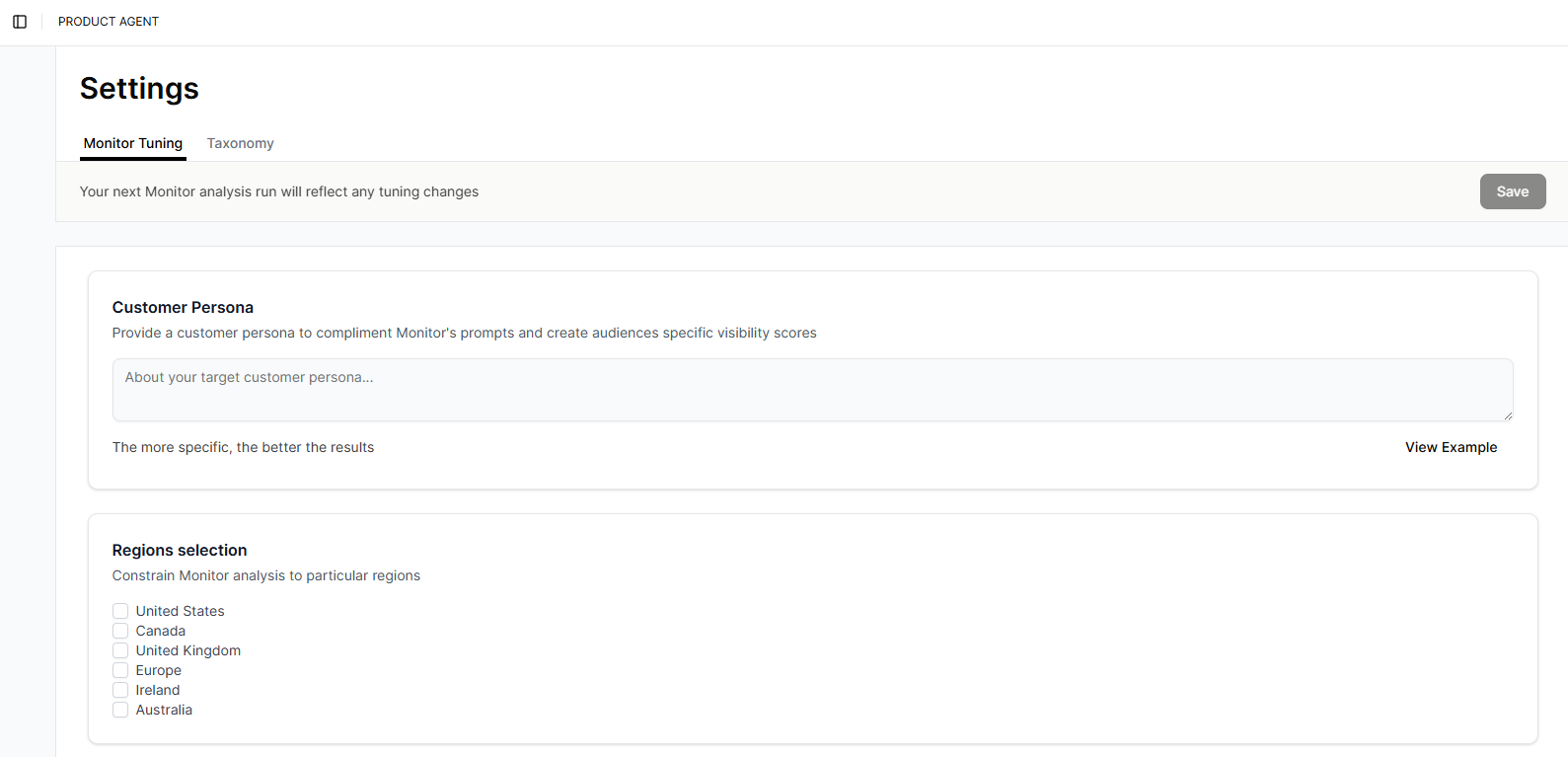
- In the Customer Persona field, enter a customer persona.
- (Optional) For help writing your persona, click View Example. The Example Customer Persona window is displayed. Click Grat, Thanks to close the window.
- In the Regions Selection section, select the regions to monitor.
- In the Category Pricing Range Inputs Min and Max fields, enter the approximate minimum and maximum prices for items in each category.
- Click Save.